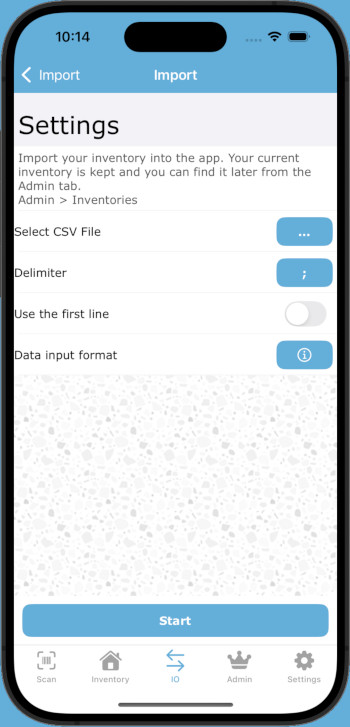
When importing your CSV file, it is essential to configure the settings correctly to ensure smooth and error-free integration of your data. Among these settings, the delimiter plays a crucial role: it determines how different values are separated in your file. Most of the time, common delimiters are commas, semicolons, or tabs. Additionally, to avoid any compatibility and display issues with special characters, it is highly recommended to use the UTF-8 encoding format. This format ensures universal character recognition and minimizes the risk of errors during import. Take the time to check these settings before starting the import to optimize your inventory management.
Sample file : import-sample.csvCode
Internal Reference
Name
Creation Date
Quantity
Quantity unit
Minimum Quantity
Maximum Quantity
Public Price
Public Price Including Tax
Supplier Price
Supplier Price Including Tax
Supplier Name
Category
Brand
Model
Location
Note
Free Field 1
Free Field 2
Size